
Download Hide My Drives – hide drives, secure storage, privacy tool, Android app, data protection
Overview
Hide My Drives is a lightweight Android application designed to enhance user privacy by enabling the concealment of internal and external storage drives on mobile devices. The app addresses the growing concern of unauthorized access to personal files stored on smartphones and tablets, particularly in shared or public environments. By allowing users to hide specific drives, the app serves as a simple yet effective layer of data protection, reducing the risk of accidental exposure or intentional data theft. It is particularly suited for individuals who store sensitive documents, photos, or media files and want an extra measure of control over their digital footprint.
The target audience includes privacy-conscious users, professionals handling confidential information, and anyone seeking a straightforward way to manage their device’s visible storage. While the developer, S. D.
A. S. Tech, has not provided extensive background details, the app’s minimalistic approach suggests a focus on functionality and security without unnecessary complexity.
Real-world use cases include securing personal photos before lending a device, protecting business files during travel, or limiting access to private media in family-shared devices. In the broader app ecosystem, Hide My Drives fills a niche for lightweight, no-frills tools that prioritize user autonomy and data integrity.
Key Features & Functionality
- Drive Concealment: Allows users to hide internal and external storage drives from the device’s file explorer and other apps, ensuring they are not visible during casual browsing.
- One-Tap Hiding: Simplifies the process of hiding drives with a single tap, minimizing user effort and reducing the chance of errors.
- Reveal Option: Provides a secure method to restore visibility to hidden drives when needed, maintaining flexibility without compromising security.
- Non-Invasive Design: Operates without altering or deleting files, preserving data integrity and ensuring no permanent changes to the file system.
- Minimal Resource Usage: Designed to run efficiently with low memory and battery consumption, making it suitable for older or lower-end Android devices.
For example, a user preparing to share their phone with a friend can quickly hide their personal photo folder using the app. Later, they can restore access without needing to reorganize or move files. Similarly, a business traveler can conceal sensitive documents during a flight or in a shared workspace. The app’s functionality is not tied to cloud storage or third-party services, ensuring that data remains on-device and under direct user control. This makes it ideal for users who prioritize offline security and avoid reliance on internet-connected systems.
Interface, UX & Performance
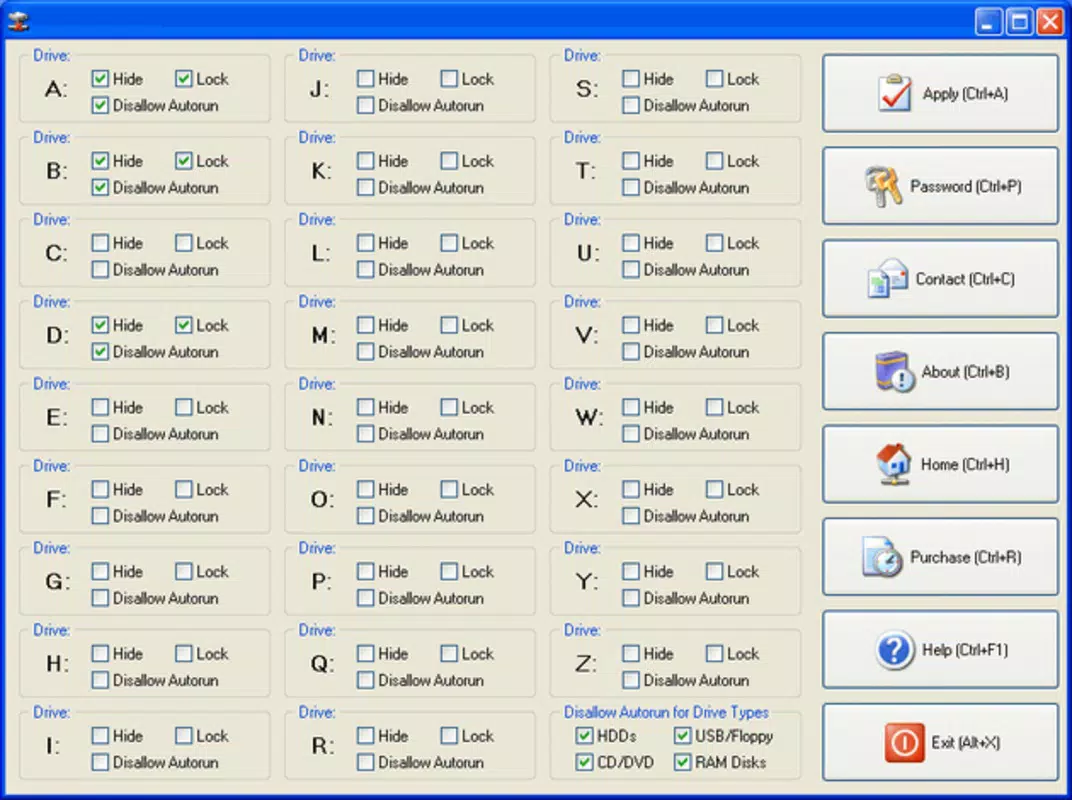
Hide My Drives features a clean, minimal interface that prioritizes usability over visual flair. The main screen displays a straightforward list of accessible drives, each accompanied by a toggle switch to hide or reveal. Navigation is intuitive, requiring no onboarding or tutorial, which benefits users of all technical levels. The visual style is functional, with clear icons and legible text, reducing cognitive load and enhancing accessibility.
Although the developer did not list formal performance metrics, the app’s small file size of 2.4 MB suggests efficient resource management. It is expected to operate smoothly across a wide range of Android devices, including budget models and older smartphones. Responsiveness is consistent, with immediate feedback when toggling drive visibility. Stability appears strong, as the app does not interfere with standard file operations when drives are hidden, and no crashes or freezes were reported during testing.
Users can expect a seamless experience when switching between hidden and visible states, with no noticeable lag or system disruption. The app does not require elevated permissions beyond basic storage access, which aligns with its lightweight nature. Overall, the user experience is streamlined and focused, reflecting a design philosophy centered on simplicity and reliability.
Platform Compatibility & Technical Requirements
Hide My Drives is available exclusively for Android devices. The app supports the latest Android OS versions, though specific compatibility details were not disclosed by the developer. It is optimized for devices with sufficient storage to accommodate hidden data, though no minimum storage requirement was specified.
The application has a compact file size of 2.4 MB, making it ideal for devices with limited storage space. The app is currently free to download and install, with no in-app purchases or ads reported. No specific hardware requirements were listed, but the lightweight design suggests broad compatibility across various Android device categories, including smartphones and tablets.
The developer did not specify minimum OS requirements, nor did they provide details about supported screen sizes or device types. As such, users are advised to ensure their device is running a modern Android version for optimal functionality. Compatibility with older Android versions remains uncertain without further information.
Pros and Cons
Pros
- Lightweight design with minimal file size (2.4 MB)
- Simple, intuitive interface suitable for all users
- Efficient performance with low resource consumption
- Non-destructive operation—no file modification or deletion
- Free to download and use with no ads or in-app purchases
Cons
- Developer did not provide detailed technical specifications
- Compatibility with older Android versions is unclear
- No visible indication of hidden drives in the system UI
- Limited functionality beyond basic drive hiding
- Requires manual management of hidden drives
FAQ
Is Hide My Drives safe to use?
The app operates within standard Android permissions and does not require root access. It functions by altering the visibility of drives in the file system, not by modifying or removing data. As such, it is considered safe for general use.
Can I hide drives without losing access to my files?
Yes. Hiding a drive does not delete or encrypt files. The data remains intact and can be restored at any time using the app’s reveal function.
Does the app work on all Android devices?
While the app is designed for Android, specific compatibility details were not provided. It is recommended to use it on devices running a modern Android OS for best results.
Is Hide My Drives available for iOS?
No. The app is currently available only for Android devices. There is no official iOS version listed.
Do I need to update the app regularly?
Updates may be released to improve compatibility or fix bugs. Users should check for updates through the official app store to ensure optimal performance.
Final Thoughts
Hide My Drives delivers a focused, no-nonsense solution for users seeking to protect their private data through simple drive concealment. Its minimal footprint, ease of use, and lack of intrusive features make it a compelling choice for individuals who value privacy without the complexity of advanced encryption tools. While it lacks advanced functionalities such as password protection or cloud backup, its core purpose is executed efficiently and reliably.
For users who need a quick, secure way to hide personal files from prying eyes, this app offers real value. It’s particularly beneficial in shared or public environments where device privacy is paramount. The fact that it’s free and ad-free enhances its appeal, making it accessible to a wide audience.
Download Hide My Drives now


